timefork
An open-source Rust tool that snapshots your whole project folder before a coding agent changes it, so you can go back to any point, compare two points, or branch from one.
Why I built it
Git only protects the files it tracks. Coding agents also touch build output, installed packages and local databases, and they run shell commands whose effects git can’t roll back. When something goes wrong halfway through a session, there’s no clean way back.
How it works
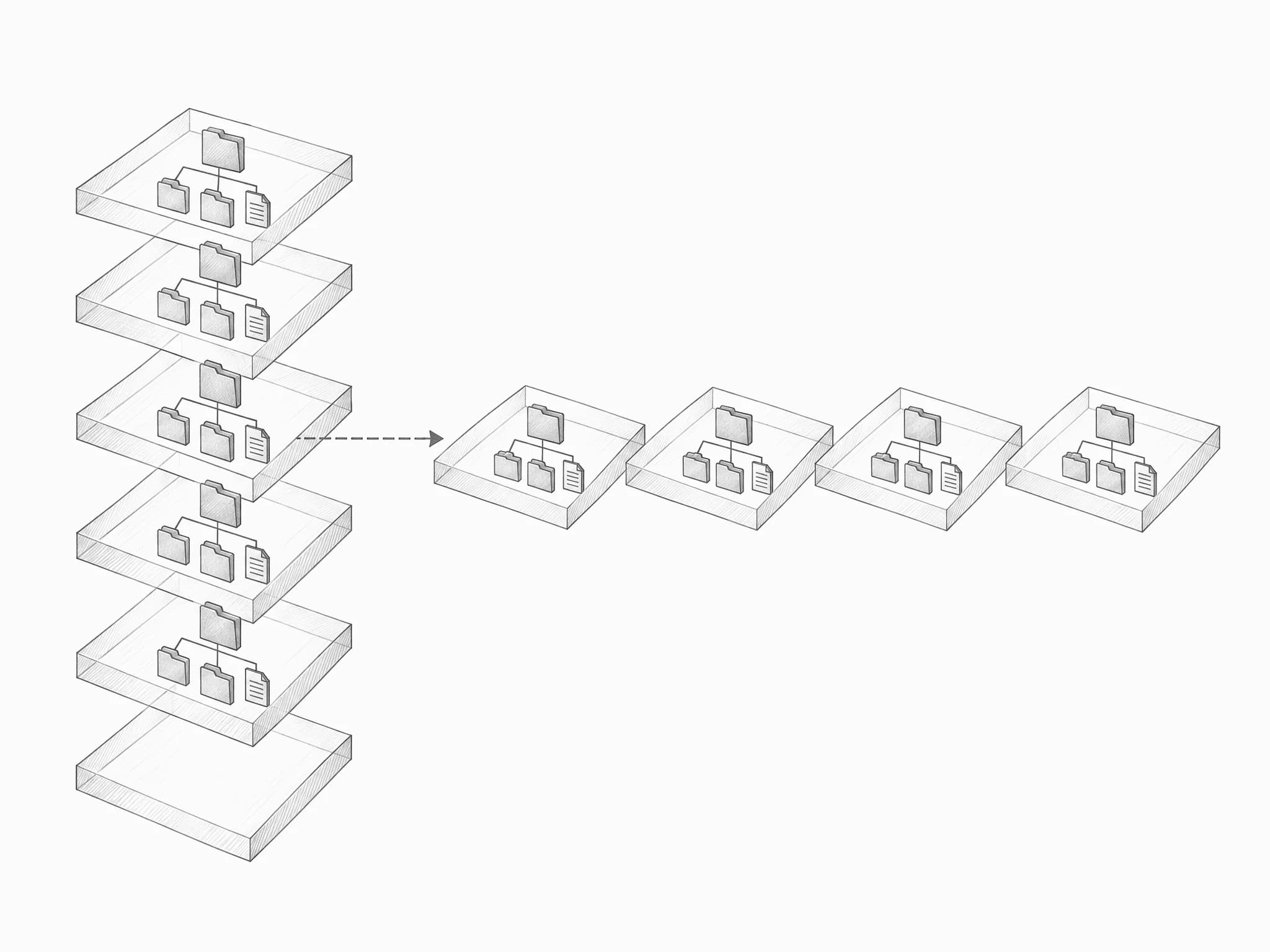
- Before an agent edits a file or runs a command, a hook snapshots the project folder.
- Snapshots are copy-on-write clones made by the file system (
clonefileon macOS, reflinks on Linux), so nothing is copied until a file changes. - A small journal records when each snapshot was taken, what the agent was about to do, and the git commit at the time.
- Restoring is undoable: timefork snapshots the current state before it brings back an older one.
- A fork copies any snapshot into a new folder, so several agents can work from the same point in parallel.
- The hook never blocks the agent. If a snapshot fails, the agent carries on.
- There’s no background process, file system driver or database.
let rc = unsafe { clonefile(s.as_ptr(), d.as_ptr(), CLONE_NOFOLLOW)};
Speed
Measured on a real 18 GB project with 78,000 files on an Apple M4.
| Snapshot the whole project | 0.9 s |
| Fork it to a new folder | 1.0 s |
| Restore an earlier snapshot | 3.0 s |
| Extra disk used after 4 snapshots and 1 fork | ~0 |
Install
brew install asjad3/timefork/timefork, then run timefork init and timefork install-hooks in a project.
Limits
Snapshots live on the same disk as the project, so they aren’t a backup. On file systems without copy-on-write support, each snapshot is a full copy.
- Language
- Rust
- License
- MIT
- Runs on
- macOS (APFS) and Linux (btrfs, XFS)